DEX ZERO FOR IPAD

Your idea.
In good company.

A whiteboard you share with your coding agent. Write, draw, or speak on iPad. Claude Code or Codex answers on the same board, from your Mac.

See how it works

Coming soon to the App Store

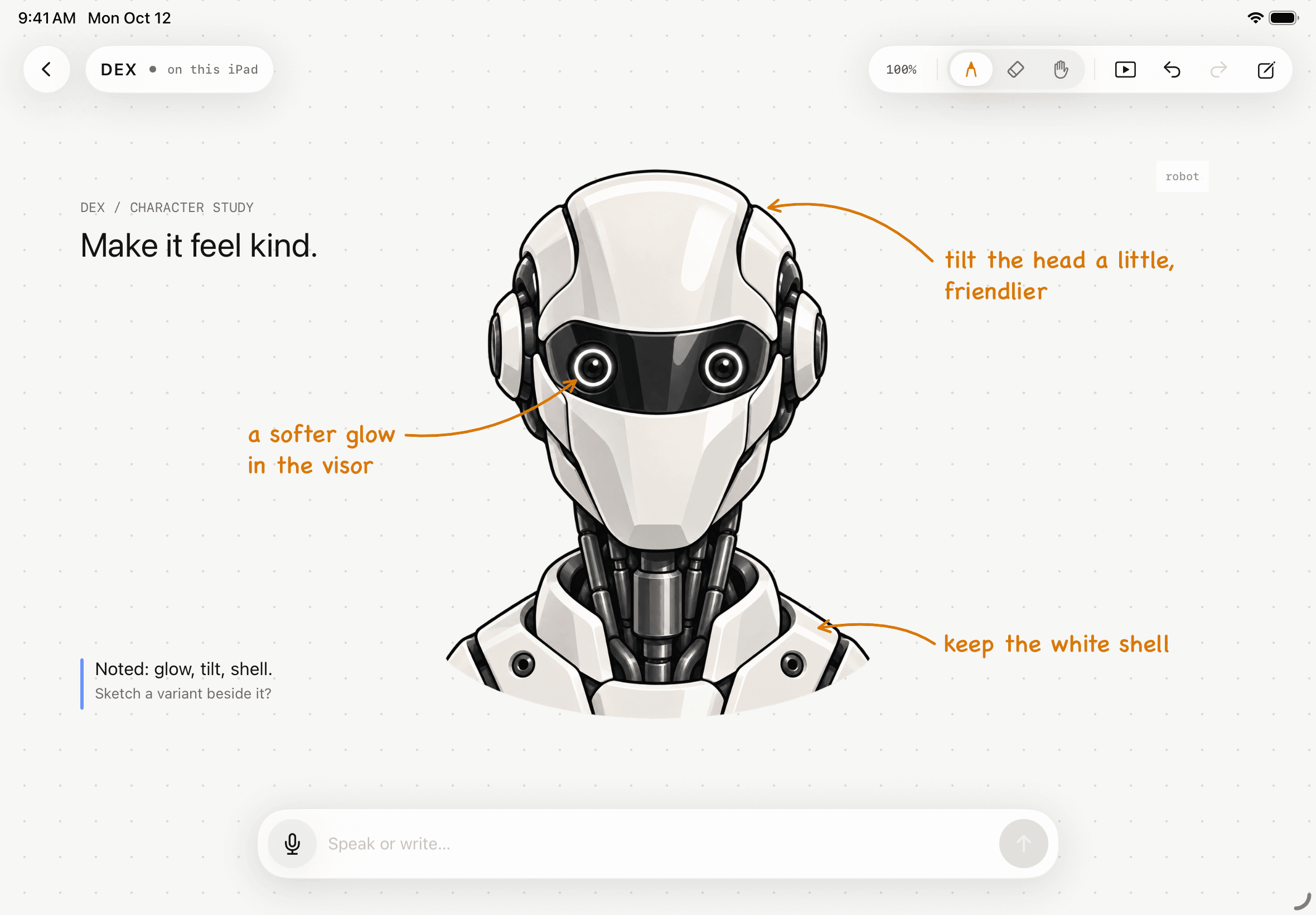
The DEX Zero board on iPad: a robot illustration titled “Make it feel kind,” three amber notes about its visor, head and shell, and a blue agent-style note that answers them.
Native DEX Zero capture · iPad simulator. A scripted study around a reference illustration; how it was made.

HOW IT WORKS

One board. Two minds.

You bring the idea. Your agent brings a second pair of hands. Everything happens where both of you can see it.
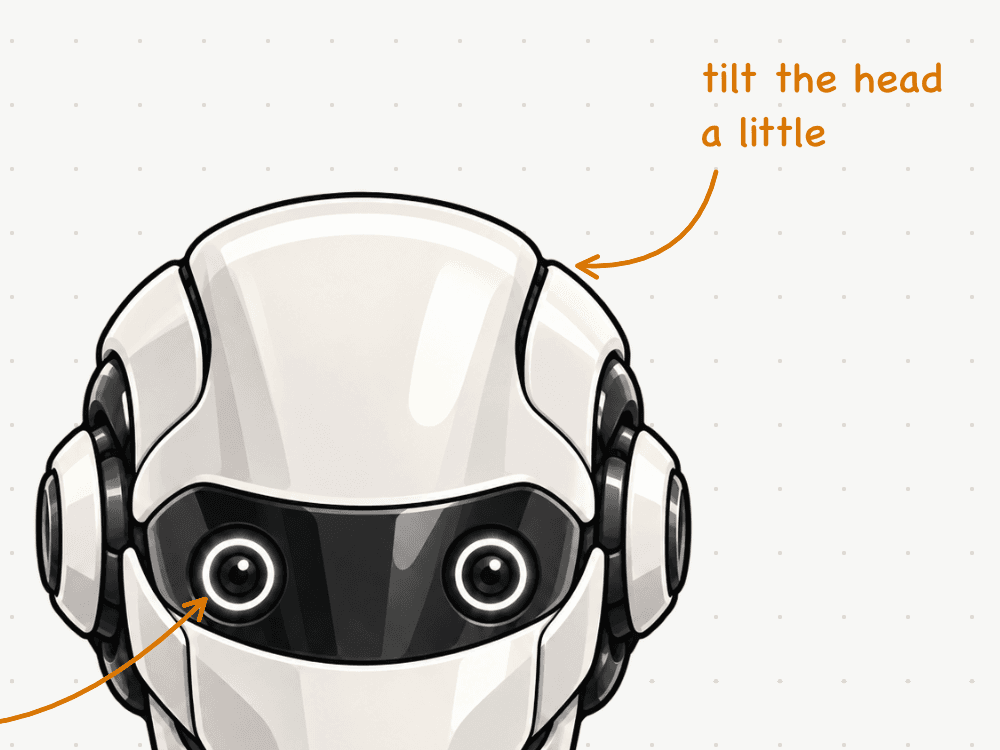
  1. Close-up of a DEX Zero board: an amber handwriting-style note, “tilt the head a little,” with an arrow to the top of a robot illustration’s head.

    01

    Say it. Sketch it.

    Write, draw with Apple Pencil, or speak. Speech is recognized on your iPad. Point at what you mean, and your note stays beside the idea.

  2. Close-up of a DEX Zero board: a blue agent-style note, written by the capture script, reads “Noted: glow, tilt, shell. Sketch a variant beside it?”

    02

    Your agent answers on the board.

    Claude Code or Codex, running on your Mac, reads the board and replies right there: a note, a sketch, a change you can undo.
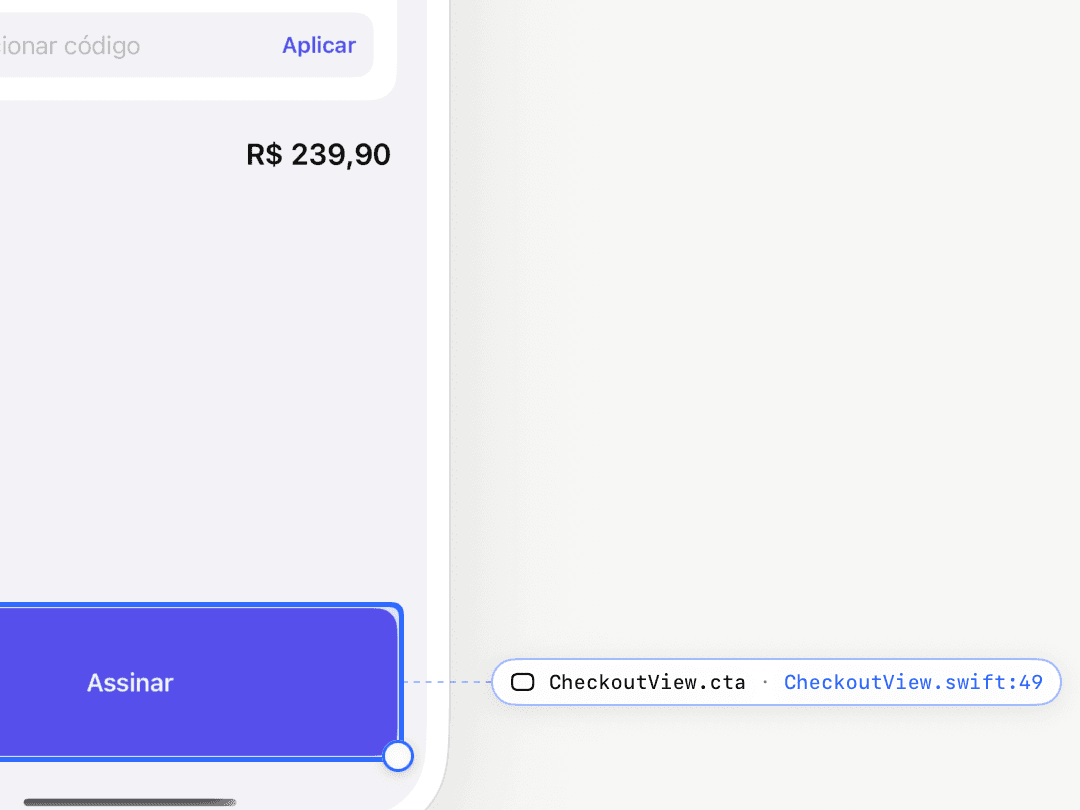
  3. App mode in DEX Zero after a real coding-agent edit: the Orbit sample’s checkout button, now taller, is selected and linked to CheckoutView.swift line 49. Orbit’s own interface is in Portuguese; the button reads “Assinar” (Subscribe).

    03

    Then change the real app.

    In App mode, select an identified SwiftUI element, preview a new size, and apply the edit to the project on your Mac.

Native DEX Zero captures from the iPad simulator. Steps 01 and 02 are close-ups of the scripted study above. Step 03 shows App mode after a real coding-agent edit, recorded on October 2, 2026; Orbit, the sample app, is written in Portuguese. Follow that edit step by step.

REPLAY

Rewind the board.

DEX Zero keeps every board’s history on your iPad. Replay it to see how an idea took shape, one change at a time.

Native board replay, recorded at 4× and cropped to the board · a scripted interface study

DEX ZERO HUB FOR MAC

Your agent stays on your Mac.

DEX Zero Hub is a small menu bar app. It connects the agent you already use to the board in your hands.

Meet DEX Zero Hub
Your agent, your account
Claude Code or Codex, signed in on your Mac. Your existing plan applies; DEX Zero Hub doesn’t include one.
Paired with a secure key
Both devices on the same Wi-Fi. The local connection is encrypted with TLS.
Boards stay on iPad
Draw, organize, and replay without a Mac. Connect an agent when you want a second mind.

Make room
for your next idea.

Meet DEX Zero Hub for Mac

Coming soon to the App Store